LinuxSir.cn,穿越时空的Linuxsir!

 找回密码
 注册
搜索
热搜: shell linux mysql
查看: 857|回复: 5

只差一步了..谁教我设定VMWare Wks下的xorg.conf

[复制链接]
发表于 2008-12-4 19:30:12 | 显示全部楼层 |阅读模式
原本的xorg.conf是用hwd -xa产生的
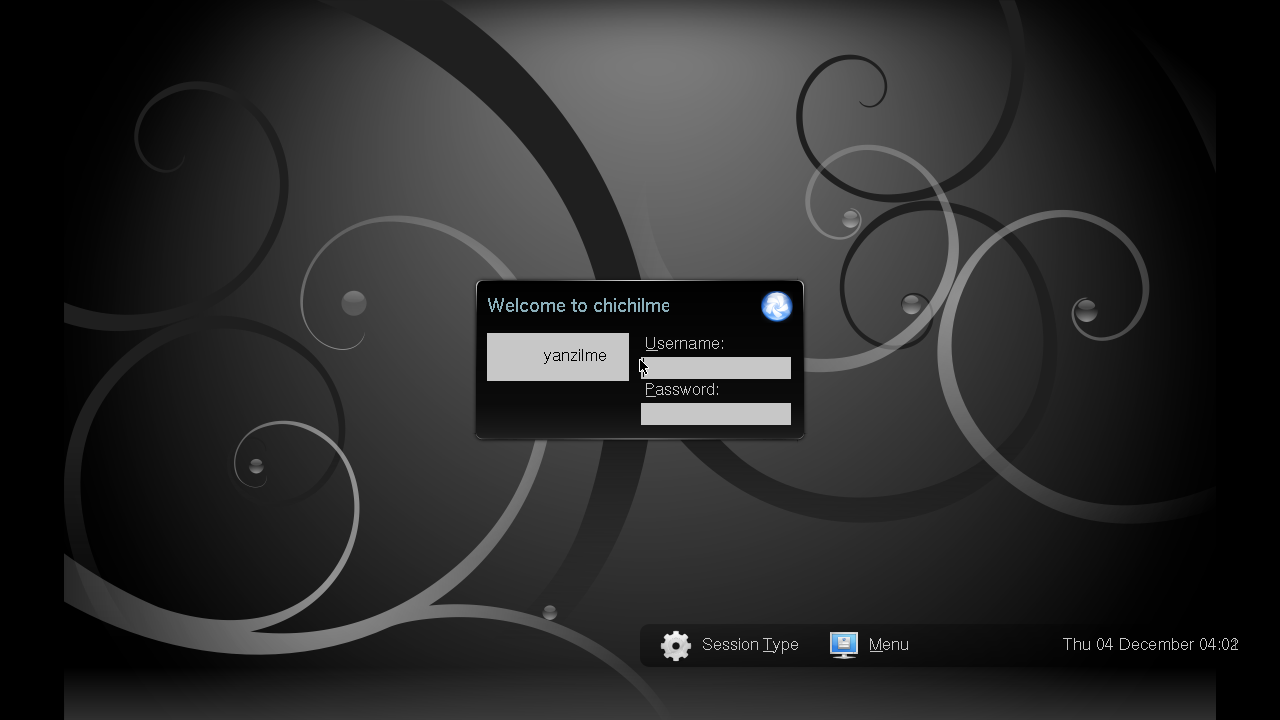
产生后敲入kdm提示找不到screen

不由hwd产生xorg.conf自己经由xorgconfig设置也无法
如果把xorg.conf砍了倒是能看到kdm画面..
但是到了登入画面后鼠标跟键盘都没反应了(不是死机)


Wiki上的这篇我也看了,只是我的版本比较新有些地方无法如wiki照著作
http://wiki.archlinux.org/index. ... rch_Linux_in_VMWare


谁教教我要如何正确配置xorg.conf在vmware里的ArchLinux?
谢谢!
发表于 2008-12-5 00:25:04 | 显示全部楼层
1.安装vmware显卡驱动
xf86-video-vmware
2.安装xf86-input-evdev
3.开启

我的配置
Section "ServerLayout"
        Identifier     "Xorg Configured"
        Screen      0  "Screen0" 0 0
EndSection

Section "ServerFlags"
        Option "AllowMouseOpenFail"  "true"
EndSection

Section "Files"
EndSection

Section "Module"
    Load  "ddc"  # ddc probing of monitor
        Load  "dbe"
        Load  "dri"
        Load  "extmod"
        Load  "glx"
        Load  "bitmap" # bitmap-fonts
        Load  "freetype"
EndSection

Section "Monitor"
        Identifier "Monitor0"
        Option "DPMS" "true"
        HorizSync    28.0 - 96.0
        VertRefresh  50.0 - 75.0
EndSection

Section "Device"
        Identifier  "Card0"
        Driver      "vmware"
        VendorName  "All"
        BoardName   "All"
EndSection

Section "Screen"
        Identifier "Screen0"
        Device     "Card0"
        Monitor    "Monitor0"
        DefaultColorDepth 24
        SubSection "Display"
                Modes "1024x768" "800x600" "640x480"
        EndSubSection
EndSection

Section "DRI"
        Mode 0666
EndSection
回复 支持 反对

使用道具 举报

 楼主| 发表于 2008-12-5 02:28:30 | 显示全部楼层
謝謝這位網兄,通過您的xorg.conf我的鼠標已經可以動了
但鍵盤依然不能使用,可否再請您透露關於鍵盤的配置方法?

感激不盡~
回复 支持 反对

使用道具 举报

发表于 2008-12-5 11:59:41 | 显示全部楼层
Post by yanzilme;1919267
謝謝這位網兄,通過您的xorg.conf我的鼠標已經可以動了
但鍵盤依然不能使用,可否再請您透露關於鍵盤的配置方法?

感激不盡~

不会吧 键盘驱动应该能自动识别并安装的亚

要不

Section "ServerLayout"
        Identifier     "Xorg Configured"
        Screen      0  "Screen0" 0 0
        [color="Red"]InputDevice    "Keyboard0" "CoreKeyboard"
EndSection

再加
Section "InputDevice"
        Identifier  "Keyboard0"
        Driver      "keyboard"
                Option      "CoreKeyboard"
        Option "XkbRules" "xorg"
        Option "XkbModel" "pc105"
        Option "XkbLayout" "us"
        Option "XkbVariant" ""
EndSection
回复 支持 反对

使用道具 举报

 楼主| 发表于 2008-12-5 18:37:29 | 显示全部楼层
谢谢楼上这位大哥,不过我修改了xorg.conf后
键盘能动了,换鼠标不动了...

最后自力救济,在ArchLinux论坛上搜了一些xorg的配置帖
最后我把Section "ServerLayout"内带有InputDevice的所有项目删除

然后添加两项禁用后鼠标跟键盘就正常工作了
Section "ServerFlags"
Option "AllowEmptyInput" "False"
Option "AutoAddDevices" "False"
EndSection
回复 支持 反对

使用道具 举报

发表于 2008-12-7 06:18:09 | 显示全部楼层
运行vmware-config.pl会自动帮你配置好
回复 支持 反对

使用道具 举报

您需要登录后才可以回帖 登录 | 注册

本版积分规则

快速回复 返回顶部 返回列表